PDF Password Remover
Remove the password and the printing, editing, and copying restrictions you set on your own PDF documents.

Control how your PDF opens — window size, toolbars, and document title.
Adept PDF Layout Changer customizes the startup options of your PDF files. Decide whether to hide the toolbar and menubar, display the document title, resize or center the window, or hide the window interface.
It can also read and change PDF metadata such as author, title, subject, and keywords — no Adobe Acrobat required.
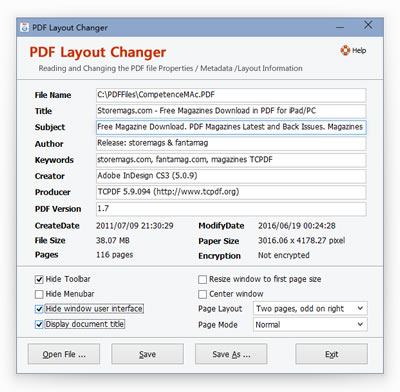
Try PDF Layout Changer free — no obligation, no credit card required.
| File | pdf-layout-changer_setup.exe |
|---|---|
| Version | 4.20 |
| Size | 3.68 MB |
| Runs on | Windows 7 / 8 / 10 / 11 |
One-time payment · Free lifetime updates · 30-day money-back guarantee.
Secure checkout is handled by PayPro Global. You will receive your registration key by email within minutes of purchase.
They control how the PDF viewer looks when the file is opened — for example, whether the toolbar is visible or the window is centered.
No. The tool runs standalone.
Remove the password and the printing, editing, and copying restrictions you set on your own PDF documents.
Read and edit PDF metadata — author, title, subject, and keywords — with this free Windows utility.
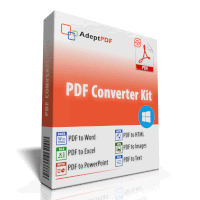
Convert PDF to Word, Excel, PowerPoint, HTML, text, and images with one all-in-one Windows tool.
Convert PDF to editable Microsoft Word documents while preserving text, images, and layout.